Hytale server hosting in Belgium
Your world stays up when you log off. The official server runs on Java 25 with its own UDP port, in Brussels, and you link it to your Hytale account with one command.




Prices include VAT, no commitment. −5 % quarterly, −10 % half-yearly, −15 % yearly. You can switch plans and keep your world. Player counts assume a view distance of 12 chunks: a guide, not a cap.
Try Hytale free for 3 days
The Copper plan (6 GB, 2 vCores) for 3 days: enough to test the first start, the account link and your mods before paying.
Start the free trial
Why OnPowered for your Hytale server?
We run Hypixel’s official server, HytaleServer.jar, on Java 25 with a UDP port of your own. It updates itself on start, and mods go into a folder.
To be straight about power: our Intel Xeon E5-2690 v4 CPUs have average per-core speed. These plans are built for a group of friends or a community of up to around forty players, not for a big public server with thirty RPG mods.
First start, one command at a time
The first launch asks for two approvals on Hytale’s account site: one to download the game files, one to let the server accept players. Allow five minutes.
Start and approve the download
Click Start in the panel. The official hytale-downloader tool prints a link and a code: sign in with your Hytale account and confirm. HytaleServer.jar and Assets.zip then download on their own. You only do this once.
Checking for Hytale server update...
# a link and a code show up here
Hytale Server BootedLink the server to your account
In authenticated mode, the server turns players away until it is linked to a Hytale account. Type the command below in the console: it prints an address and a code, valid for 15 minutes, to enter in your browser.
/auth login deviceKeep the link across restarts
/auth persistence shows where the link is stored. If it says “Memory”, it will be gone after the next restart: switch to encrypted storage.
/auth persistence
/auth persistence EncryptedConnect
In Hytale, open the Servers tab and add the IP address and port shown at the top of the panel. The default port is 5520; with us, it is the one the panel assigns. Everything goes over QUIC on UDP, so there is nothing to open on your router.
java -XX:AOTCache=Server/HytaleServer.aot -Xms128M -Xmx…M \
  -jar Server/HytaleServer.jar --auth-mode authenticated \
  --assets Assets.zip --bind 0.0.0.0:<port>
The server must be linked to an account that owns Hytale, and every player needs their own copy of the game. The exact console text may change between versions.
How much RAM does a Hytale server need?
View distance is the biggest memory cost. The shipped config.json sets MaxViewRadius to 32 chunks, about 1,000 blocks around each player: seven times more terrain than at 12 chunks, the value Hypixel recommends.
| Players | Recommended RAM | OnPowered plan |
|---|---|---|
| 1 to 5 | 4 GB (official minimum) | Copper (6 GB) |
| 5 to 10 | 6 GB | Copper or Iron |
| 10 to 20 | 8 GB | Iron (10 GB) |
| 20+, or heavily modded | 12 to 16 GB | Thorium or Cobalt |
Estimates published by Hypixel and by hosting companies (October 2026), at a sensible view distance: not our own measurements. Six players exploring in six directions load more terrain than twenty players at spawn. To lower view distance: /maxviewradius 12 in the console.
Everything from the panel
The Pterodactyl panel gives you the console, a file manager, SFTP, scheduled tasks and sub-users for your co-admins.
The Startup tab holds the Hytale server settings: the update channel (Patchline), the AOT cache that speeds up boot, and the Accept Early Plugins option, which Hypixel advises against because it can make the server unstable.
Connect to Pterodactyl®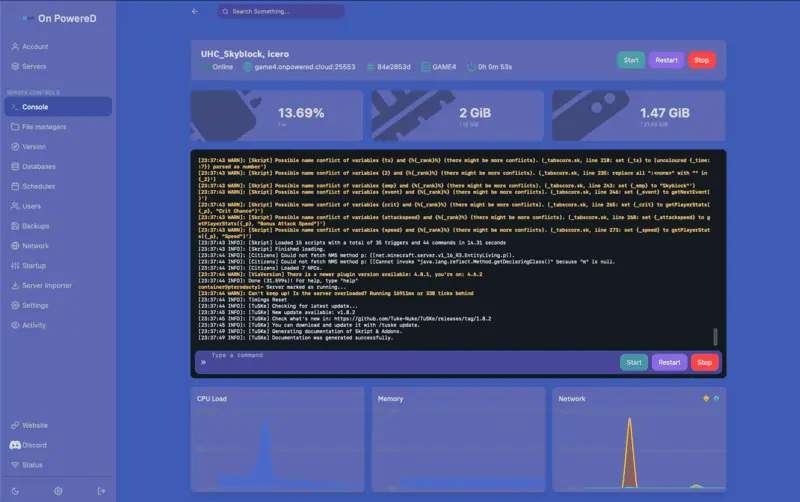
What you control
config.json
MaxPlayers, MaxViewRadius… Stop the server first: if it is running, it overwrites the file when it stops.
CurseForge mods
A .jar or .zip in mods/, then a restart. Players install nothing.
Patchline
release by default, or pre-release to test early. Back up first: a world opened by a newer version cannot go back.
Permissions
Groups in permissions.json, whitelist and bans in whitelist.json and bans.json.
SourceQuery
Installed by default for server lists. Add a second port in the Network tab and enter it in Source Query Port.
Backups
From 2 (Copper) to 7 (Cobalt), created, restored and downloaded from the Backups tab.
Coming from Minecraft?
The two games look alike on screen, much less so on the server side. Hytale needs Java 25, runs over QUIC on UDP (port 5520) instead of TCP 25565, and the server signs in to a Hytale account itself.
Mods are installed on the server only, which sends the assets to players. And a chunk is 32 blocks wide instead of 16: a 12-chunk view distance covers 384 blocks.
Keeping a Minecraft server on the side? It is managed from the same client area.
See the Minecraft plansHosted in Brussels
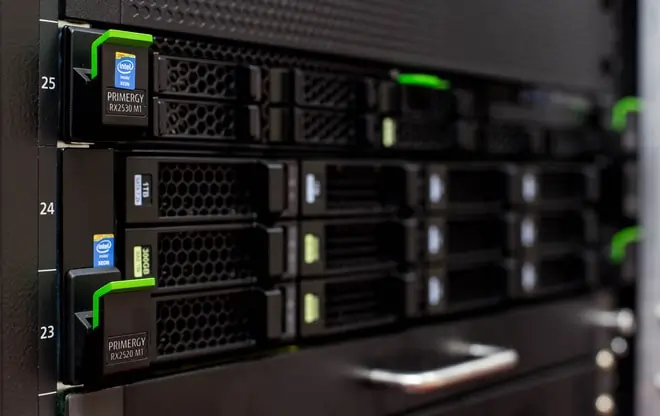
Hytale servers run in Brussels, on NVMe SSDs and DDR4 memory, with DDoS protection included. From Belgium, the Netherlands or northern France, your players stay close to the server.
OnPowered SRL is a Belgian company (CBE 0802.812.679): Belgian VAT invoice, payment by Bancontact, card or PayPal, support in English, French and Dutch.