Valheim server hosting in Brussels
The world stays online even when the host isn't playing. 10 players, vanilla or BepInEx, from €5.99 a month.


Prices include VAT, no commitment. −5% quarterly, −10% half-yearly, −15% yearly. You can switch plans later without losing your world.
Free 3-day trial
Try the Bronze plan with your group for 3 days, no commitment. Import your world, invite your friends and see how it runs.
Try it free for 3 days
Why OnPowered for your Valheim server?
When you host from the game, the world only exists while its creator has Valheim open. The week they go on holiday, the whole group waits. With a dedicated server, everyone logs in when they like and finds the longhouse, the chests and the portals where they left them.
Every plan allows 10 players, the game's own limit: you don't pay per player, you pick the memory based on how old your world is and which mods you run. Vanilla or BepInEx, chosen when you order.
How much RAM does your world need?
In Valheim, memory doesn't grow with the number of players but with the world: every explored zone and every building piece stays tracked by the server. A vanilla server for 10 players typically uses 2 to 4 GB.
| Your situation | Measured RAM | Suggested plan |
|---|---|---|
| Fresh world, nobody online | ≈ 1.3 GB | Bronze |
| World a few weeks old, normal use | ≈ 1.8 GB | Bronze |
| 6 to 10 players, heaviest cases | ≈ 3.2 GB | Bronze or Iron |
| Old, heavily explored world, big bases | 4 to 6 GB | Iron or Silver |
| BepInEx with a few mods | +1 to 2 GB, ≈ 6 GB advised | Silver |
| Large Thunderstore modpack | Depends on the pack | Black Metal |
Figures published by Valheim hosts in 2026 (measured on 1.0 and Unity 6). Iron Gate doesn't publish an official number.
Import your single-player world
Already played for weeks locally? The world is just two files. Allow five minutes.
Find the files on your PC
Close Valheim, then paste this path into Windows Explorer.
%USERPROFILE%\AppData\LocalLow\IronGate\Valheim\worlds_local\Take the .db + .fwl pair
The .db file holds the terrain and buildings, the .fwl file the name and seed. Always copy both together. If the world is stored in the Steam cloud, move it to local first from the world selection screen.
MyWorld.db
MyWorld.fwlStop the server and upload them
Using the panel's file manager or SFTP, put both files in this server folder.
.config/unity3d/IronGate/Valheim/worlds_local/Set the world name
Startup tab, World Name variable: type MyWorld, without extension (20 characters max). Start the server: your world is online.
A pre-1.0 world keeps everything. Deep North content only appears in zones you have not explored yet.
Crossplay: PC, Xbox, PS5 and Switch 2 in the same world
Since 1.0 every platform plays together. Console players can't type an IP address: they join with a 6-digit code that the server prints in the panel console a few seconds after it starts. The code changes on every restart, so paste it in your group's Discord.
Crossplay comes with the vanilla version of the server (the Enable Crossplay variable is on by default). On the BepInEx version it stays off: PC players join with the address:port shown at the top of the panel or through the Steam server list.
Log in to Pterodactyl®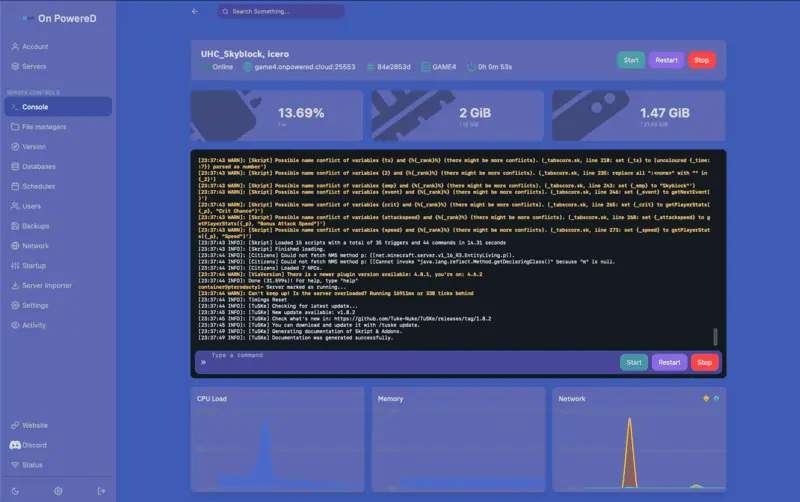
Mods: BepInEx and Thunderstore
Valheim has no Workshop: mods go through the BepInEx loader and the Thunderstore site.
Order the BepInEx version
Pick it when you order: BepInExPack_Valheim is installed automatically with the server.
A Thunderstore modpack through a variable
Startup tab, ModPack variable: paste the pack's "dependency string" (on its Thunderstore page), then run Reinstall under Settings. Reinstalling empties BepInEx/plugins and only copies .dll files into it, so take a backup first. For a new version of the pack, change the number and reinstall.
Author-ModpackName-1.2.3Or your mods by hand
Drop the .dll files in BepInEx/plugins, their settings in BepInEx/config, then restart. When something breaks, the answer is almost always in the log.
BepInEx/plugins/
BepInEx/config/
BepInEx/LogOutput.logThe same mods for your players
They install the same mods, in the same versions, with r2modman or the Thunderstore Mod Manager. Consoles can't install mods: with console players, stay on vanilla or on mods that run 100% on the server.
After a Valheim update, mods often break for a few days. The server updates on every restart (Auto Update variable): wait for your mods to catch up before restarting.
What you set in the Startup tab
Valheim has no config file: the server is set through its launch parameters, which the panel shows as plain fields. Changes apply on the next restart. World modifiers (combat, resources, raids…) aren't among them: create the world in single player with your settings, then import it.
Server Name
The name shown in the server list, 60 characters max.
Server Password
5 to 20 characters, not the server or world name (Valheim rejects it). Set it at first start.
World Name
The world loaded at start-up. Keep several worlds and switch whenever you like.
Public Server
Set to 0, the server leaves the public list: people join by address or code.
Auto Update
Update on every restart, so you stay on the same version as your players.
Game backups
Backup Interval and Backup Count: every 30 min, 4 copies kept by default.
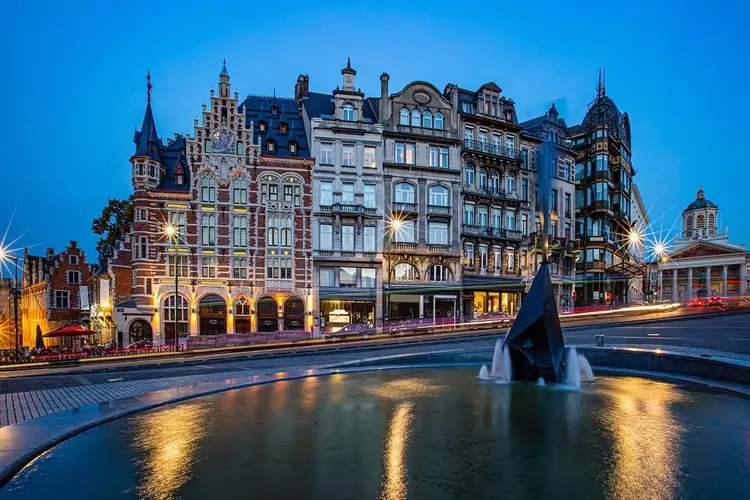
A Belgian Valheim server host
The server runs in our Brussels datacenter: low ping from Belgium, the Netherlands and northern France. OnPowered is a Belgian company (OnPowered SRL, company no. 0802.812.679): invoice with Belgian VAT, payment by Bancontact, card or PayPal.
Support in English, French and Dutch, by ticket and on Discord. Playing Minecraft too? See our Minecraft servers.
All our game servers