Palworld server hosting in Brussels
Your world stays online when the host isn't playing. Up to 32 players, crossplay with PS5 and Xbox, from €10.99 a month.





No commitment. −5% quarterly, −10% half-yearly, −15% yearly. You can switch plans later without losing your world.

Why OnPowered for your Palworld server?
In co-op, the world lives on the host's PC and stops at 4 players. When the host logs off, the Pals at the base stop working and nobody else can get in. A dedicated server runs all the time: everyone plays when they like, up to 32 players.
You don't pay per player: the limit is set in the panel, and you pick the plan by how much memory your group needs. The Hyper plan (16 GB) matches Pocketpair's own recommendation for a dedicated server.
How much RAM does your group need?
Palworld is hungry for memory. Pocketpair recommends 16 GB and warns that with 8 GB the server boots but is more likely to crash from running out of memory. What drives RAM up: players online, bases, and the Pals working in them.
| Your group | Suggested RAM | Plan |
|---|---|---|
| 1 to 4 players, one or two bases | ≈ 8 GB | Mega |
| Up to 8 players | 10 to 12 GB | Giga |
| Up to 16 players, several guilds | 16 GB | Hyper |
| Up to 32 players, big bases | 24 GB or more | Legendary |
Ranges published by Palworld hosts in 2026, checked against Pocketpair's official server guide (version 1.0.4). They assume a scheduled restart, see below.
Schedule a restart: the fix for RAM that keeps climbing
On Palworld, server memory grows with uptime, even without new players. Hosts still see it after 1.0. The fix: a save followed by a restart at a set time. You set it up once in the panel and it runs on its own.
Create a schedule
In the panel, Schedules tab, Create schedule button. Every 12 hours is a good start. On the Mega plan (8 GB), go to every 6 hours (*/6).
Minute        0
Hour          */12
Day of month  *
Month         *
Day of week *Task 1: save the world
Add a Send command task with the command below. The panel console talks to the server over RCON, so the command goes straight to the game.
SaveTask 2: restart
Add a Send power action → Restart task with a 30-second time offset, so the save has time to finish.
Tell your players
Pick a quiet hour (5 am rather than */12 if your group plays in the evening) and post it in your Discord. A restart takes one to two minutes.
Turning raids off (bEnableInvaderEnemy=False) is also said to slow RAM growth, according to several players. Pocketpair hasn't confirmed it.
Crossplay: Steam, Xbox, PS5 and Mac in the same world
The Palworld dedicated server accepts players on Steam, Xbox (and the Microsoft Store PC version), PS5 and Mac. For consoles, Pocketpair requires a "community server" that shows up in the in-game list, and yours is one. PS5 and Xbox players find it by name under Community servers; Steam players can also type the address and port shown at the top of the panel.
Everything is set in the Startup tab: Server Name, Server Description, Server Password (recommended, since the server is listed publicly), Admin Password and Max Players (1 to 32). These values are written back to the config file on every start. To limit which platforms can join, edit the CrossplayPlatforms line in PalWorldSettings.ini (default: Steam, Xbox, PS5 and Mac).
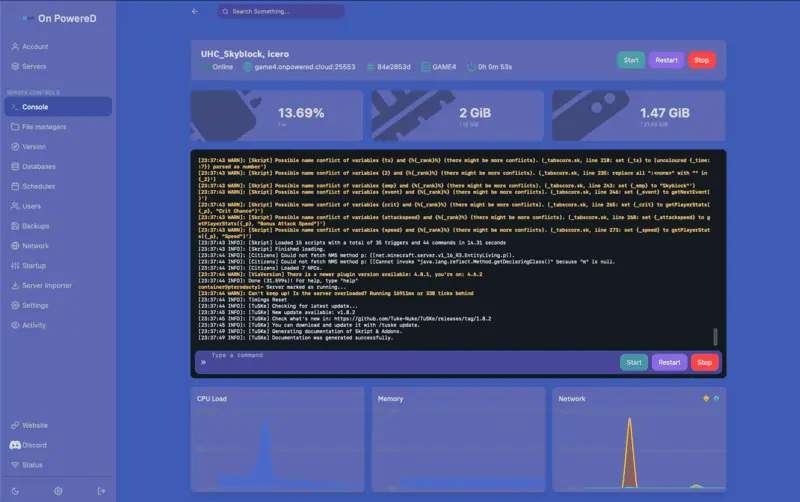
Import your co-op or single-player world
Your group already has dozens of hours on the host's PC? The world can move to the server. There's one catch: the host's character has to be reassigned. Take a server backup in the panel before you start.
Find the world on the host's PC
Close Palworld, paste this path into Windows Explorer and copy the whole world folder (Level.sav, LevelMeta.sav, the Players folder). This is for the Steam version: Xbox / Game Pass saves use a different format.
%LOCALAPPDATA%\Pal\Saved\SaveGames\<SteamID>\<WorldID>\Upload it to the server
Start the server once, stop it, then upload the folder with the file manager or SFTP. If it contains a WorldOption.sav, delete it: otherwise it overrides your server settings.
Pal/Saved/SaveGames/0/<WorldID>/Point the server at the world
Put the world folder's name in this file, then start the server. Guests get their characters back.
Pal/Saved/Config/LinuxServer/GameUserSettings.ini

DedicatedServerName=<WorldID>Recover the host's character
In co-op, the host is stored under a special ID (…0001) that the dedicated server doesn't use, so they arrive as a new character. Let them join once, stop the server, swap the two characters in Level.sav with the community tool Palworld Save Pal (Player UID Swap), then upload the file again.
Save tools are made by the community, not by Pocketpair, and can lag behind game updates. Always work on a copy.
Bases and working Pals: the settings that ease the server
What loads the CPU on Palworld is the Pals working at bases: the server simulates every one of them all the time. The settings below are in Pal/Saved/Config/LinuxServer/PalWorldSettings.ini. Stop the server before editing the file.
BaseCampWorkerMaxNum
Working Pals per base: 15 by default, 50 at most. Setting every base to 50 is the most common cause of lag.
BaseCampMaxNumInGuild
Bases per guild: 4 by default, 10 at most. Pocketpair warns that raising it increases the load.
PalSpawnNumRate
How many wild Pals spawn. Pocketpair says it directly affects performance: keep it at 1 on a busy server.
ServerReplicatePawnCullDistance
How far around players Pals are synced, from 5000 to 15000 cm. Lower means less work for the server.
bEnableInvaderEnemy
Turns raids on your bases on or off. At False, there are fewer fights to simulate.
The rest of the gameplay
Same file: ExpRate, PalCaptureRate, DeathPenalty, bIsPvP, day and night length…

A Belgian Palworld server host
The server runs in our Brussels datacenter: low ping from Belgium, the Netherlands and northern France. OnPowered is a Belgian company (OnPowered SRL, company no. 0802.812.679): Belgian invoice, payment by Bancontact, card or PayPal.
Support in English, French and Dutch, by ticket and on Discord. Playing Minecraft too? See our Minecraft servers.
All our game servers